Wednesday, January 8, 2020

Looking for Server Management Specialists?

Let our Red Hat Certified System Engineers handle your Server issues...

Our System Administrators have a vast experience in working on multiple cPanel Servers and are always readily available to provide you 24x7 Remote Technical Support and Live chat assistance. Our expert tech agents cordially manage to perform server tasks including new server setup, server security and hardening, server optimization, configurations and restoring backups, transferring accounts, server migration, data backups and recovery, server investigation and much more. We also provide support to cPanel server administration, troubleshooting, security, and patching of the cPanel server. We offer quality Cpanel Server Management Support provides proactive Cpanel server support and set up your Cpanel server.

Cpanel Server support Services:

1. Initial cPanel Installation and Configuration
2. cPanel Security and Performance Tweaks
3. cPanel Server and Accounts Migration
4. 24/7 Support For Your cPanel Customers
5. LiteSpeed and Apache Server Support
6. WHM/Reseller Configuration and Support
7. Proactive cPanel Server Monitoring
8. Full cPanel Server Management

9. Php and Apache compilation with advanced modules
10.Plug-in installation
11. Components upgrades
12. Configure backups
13. SSL certificate installations
14. IP address setups
15. Upgrades as per request
16. Upgrades such as PHP, Apache, etc. to their latest available stable version.
17. Also, installations, for instance, nginxcp plugin on the server which acts as a reverse proxy for apache and speeds up your sites on the server.

Get in touch with your queries to our 24x7 Technical and live chat support at https://hostechsupport.com or shoot an email with your requirements to support@hostechsupport.com

Monday, January 6, 2020

Get VPS Management Services

VPS server management offers the specifications and benefits of dedicated and shared hosting. VPS server management assists the users with complete independence and control over authentic server procedures. By using our managed VPS server management services, you can experience high-quality resource allocations and superior network connections. At the same time, we also ensure that your security, safety confidentiality concerns is our top priority. Server Management Plan is designed for individuals, hosting companies and data centers. Our VPS Management Services includes:

1. Initial Server Configuration
2. Initial Backup Configuration   
3. Attack Mitigation Assistance   
4. Backup Configurations and Backup
Restorations, Database Restorations
5. Creating OS templates
6. Custom Kernel recompiles with OpenVZ patch etc.
7. Node Monitoring
8. Managing VPS servers via Virtuozzo Control Panel, Solus VM, etc.
9. Easily managing websites, email, DNS, web traffic, web applications and easy integrations with external systems
10. Fixing Website, MySQL, Mails, FTP Issues
11. Third-Party Software Installation       
12. Virtual Private Server (VPS) Actions Log
13. Load Balancing Management
14.  Installation and basic configuration of applications like drupal, Joomla, WordPress
15. Troubleshooting issues via the control panel
16. Installation and upgrade of control panel and third party applications/software   
17. Troubleshooting e-mails and SSL related issues       
18. Server boot failure investigation using KVM and diagnose VPS boot issues       
19. Troubleshooting attacks on the server (port scanning, bots, DDoS, etc ...)               
20. Database related activities like restoring, backing up and migrating databases
21. 24x7 Technical and Live Chat Assistance

You can get in touch with your technical queries at https://hostechsupport.com for 24x7 Technical and Live Chat assistance.

Wednesday, December 25, 2019

Cpanel Server Management, Cpanel Direct Admin Services

Looking for Server Management Specialists? Take a step ahead and try our services and Connect to our 24x7 Live chat to get technical assistance on your server related queries at https://hostechsupport.com or you can simply shoot an email to support@hostechsupport.com
Our Linux/Server Management services include 24x7 Remote Technical Support, Server Administration, Server Management, Server hardening, 3rd party software installations, 24x7 Server Monitoring, Server migrations, Backup configurations and more.

Cpanel Server Management - Direct Admin Services:

  1. Initial Server installation & configuration management
  2. Let's Encrypt / SSL installation and configuration
  3. SMTP/POP/IMAP (Exim + Courier-IMAP/dovecot) server configure and optimization
  4. FTP Server setup (pure-ftpd / pro-ftpd).
  5. Google Apps Setup (DNS)
  6. Optimize and secure Apache (HTTP) server
  7. Software installations.
  8. Increase memory efficiency
  9. Hard disk performance tweaking
  10. MySQL database server optimization
  11. Backup Configuration and Audit Backup
  12. Secure SSH
  13. Anti-malware & anti-Virus installation
  14. Brute force detection Installation
  15. Control access to services by IP Address
  16. Monitor WHM server
  17. Secure Apache
  18. Mod Security Installation
  19. Kernel Patching.
  20. Schedule malware and virus scanning
  21. Restrict system’s compilers
  22. Install and configure csf a firewall
  23. Regular server updates
Find out more: https://www.hostechsupport.com or directly connect to our 24x7 Live chat support for our Support services.

Thursday, December 19, 2019

Need Server Administration Services for your Dedicated Servers ?

Get Linux Server Administration by Expert Techs! Web host, WHM, Cpanel, Nagios, Apache, Nginx, PHP, Ubuntu, WordPress, Drupal, Joomla And much more. Also, we manage, WebHost Manager(WHM) cPanel, Plesk, SolusVM, OpenVZ virtualization, & VestaCP. Experience of Server Load balancing, technology IP, IPV4 and IPV6. Also, considerable Hands-on experience in OpenVZ, Xen, VMWare Virtualizations, Linux VM (Debian), etc.

We manage the below services on your servers :

  • 1. Linux Server Installation & Configuration
  • 2. Any Linux Support Solutions
  • 3. Certified Linux Support Team
  • 4. Linux Server Performance Tuning
  • 5. High quality of Customer Satisfaction
  • 6. Monthly Server Reports
  • 7. Linux Server Backup Management
  • 8. 100% Uptime Servers
  • 9. Low Price Guarantee
  • 10. Best Outsourced Linux Support Services
  • 11. 24×7 Voice, Technical Support
  • 12. Installing software
  • 13. Upgrading software and applying patches
  • 14. Configuration changes
  • 15. Control Panel Upgrades
  • 16. Server Migration

Our Server administration services extend to all operating systems and applications, installation of 3rd party software, OS & application upgrades, initial server setup, diagnosis, security updates/patches, backup restoration in a timely manner. We have a 24x7 Remote Technical team and system engineers are part of our administration aims at granting clients with a stress-free environment. Clients can certainly come up with any case round the clock for everlasting 24x7 live chat or technical support.

For further queries and assistance, connect us on https://www.hostechsupport.com or you can email your issue on support@hostechsupport.com, we will revert you at our earliest.

Monday, October 14, 2019

Migrating Physical servers to Cloud


Basically, it is an approach described as decoupling and migrating a server’s operating system and data from a physical server to a virtual machine guest hosted on a virtualized platform (or the cloud). It is called as one of the best features of server virtualization is the ability to migrate physical server workloads to virtual servers. 

The physical to virtual migration choice allows you to remove aging servers, thus deducting the number of physical servers needed in a data center. Firstly, a physical server must be virtualized and then migrated into the cloud. Once you’ve virtualized, you will have to repeat the steps to migrate the server into a cloud.  The first step while starting with a physical-to-cloud migration is to identify the tools that you will use to execute your migration and the system you want to migrate. The key point here is that you don’t have to migrate twice  SaaS automatically virtualizes a physical server during the conversion process of migrating the physical server into the target cloud.

Thursday, August 22, 2019

Expert Cpanel Server Management Services | Direct Admin Server Management | Linux Cpanel Server Management | Linux cPanel Server Management

Expert Cpanel Server Management Services starting from $29/Mo 


Assistance with data migrations from Cpanel to Direct admin=== cPanel for Management ===DNS Server Management===Configure and manage the server resources including server backups, reseller account management===Managed Service Providers


 We Offer below Services:
  1. Linux Server Support
  2. Linux Server Management
  3. Cpanel Server Management
  4. 24x7 cPanel Server Management
  5. Monitor server Performance
  6. Server management in Linux
  7. Web hosting outsource support
  8. 24x7 Technical & Live Chat Assistance
  9. Expert cPanel Server Management Services
  10. Server Monitor Performance‎
  11. Cpanel server management
  12. Linux server administration
  13. Web server management
  14. 24x7 Server management services
  15. Web hosting outsource support
  16. Server Optimization
  17. Apache Server Monitoring/Optimization 


Saturday, August 17, 2019

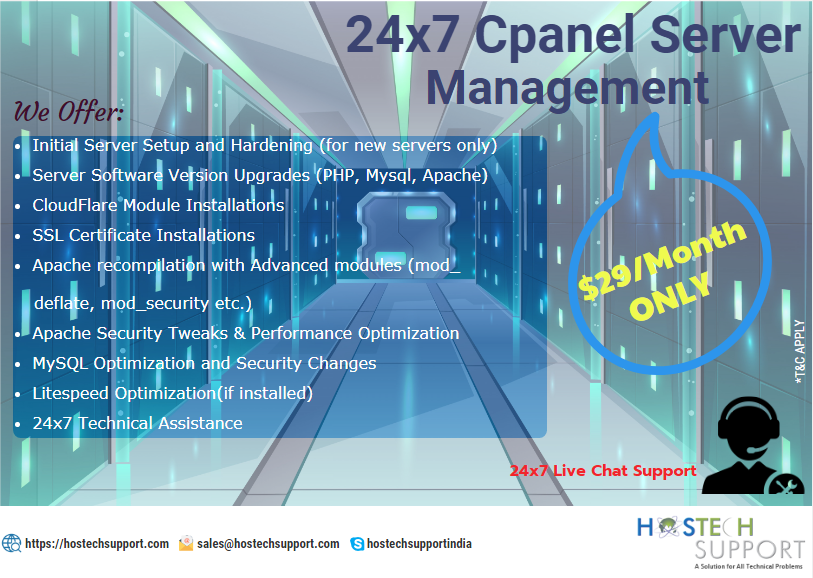
HostechSupport offers 24x7 Cpanel Server Management Services just at $29/ Month. 
*T&C Apply


Check out services inclusive:

1. Initial Server Setup and Hardening (for new servers only)
2. Server Software Version Upgrades (PHP, Mysql, Apache)
3. Cloudflare Module Installations
4. SSL Certificate Installations
5. Apache recompilation with Advanced modules (mod_deflate, mod_security, etc.)
6. Apache Security Tweaks & Performance Optimization
7. MySQL Optimization and Security Changes
8. Litespeed Optimization(if installed)
9. 24x7 Technical Assistance

Find out more for further queries and assistance: https://www.hostechsupport.com/per-server-management.php

24x7 Linux Server Management Company

Get 24x7 Cpanel Server Management, Server management services, Server Optimization
Linux server administration
24x7 Helpdesk and Live Chat Support 

Skype: hostechsupportindia

Need Server Administration for your Servers?

Get Linux Server Administration by Expert Techs! Web host, WHM, Cpanel, Nagios, Apache, Nginx, PHP, Ubuntu, WordPress, Drupal, Joomla And much more. Also, we manage, WebHost Manager(WHM) cPanel, Plesk, SolusVM, OpenVZ virtualization, & VestaCP. Experience of Server Load balancing, technology IP, IPV4 and IPV6. Also, considerable Hands-on experience in OpenVZ, Xen, VMWare Virtualizations, Linux VM (Debian), etc.


Plan Inclusive of below services: 
  • Kernel upgrades
  • PHP configurations, updates & installations with options like GD, Curl, etc.
  • Perl module Installations
  • Apache module Installations
  • Backups & Migrations
  • Security updates for Server software
  • Software/Script Installations
For further queries and assistance, stay connected: https://www.hostechsupport.com/remote-server-administration.php

24x7 Linux Server Management Company

Get 24x7 Cpanel Server Management, Server management services, Server Optimization
Linux server administration
24x7 Helpdesk and Live Chat Support 

Skype: hostechsupportindia

Wednesday, July 31, 2019

VMware Cloud Management


VMware Cloud Management


VMware delivers cloud technology framework and management, cloud application platform, and end-user computing solutions that can help to boost up your company’s conversion to cloud computing and facilitate your team to promptly recognize its value from this new approach. VMware vSphere works in concurrent with the VMware vShield family of products.
VMware solutions provide efficient, quick and self-service access to cogently simplify IT services provisioning and formation, so you can respond in a rapid pace to your business requirements. Meanwhile, it also allows putting policies in place that execute business and governance demands and needs, providing IT staff with the regulation it needs to minimize business and regulatory risk. 

VMware also guides the way in virtualization safety, so your policies are always applied to your virtual machines wherever they operate on a safe virtual container. This eradicates having to constantly reconfigure static security infrastructure for your dynamic computing environment. Virtualization is the requisite stimulant for enabling the evolution to cloud computing. VMware, the most rapidly accelerated growing enterprise software company and virtualization industry leader, develops virtualization to bring up cloud infrastructure and management solutions that undoubtedly lower down IT complication.
VMware delivers an extensive cloud management platform that can maintain hybrid (multi-cloud) technology and functioning anything from traditional to container (cloud native) workloads. VMware’s cloud management technology empowers a dynamic, compelling and consistent digital infrastructure to deliver the apps that power business innovation. A cloud framework connected with cloud management provides a common approach for developing and operating an organization grade hybrid cloud. Hybrid clouds based on VMware provide high levels of acuteness, competency, and control across both traditional and cloud-native, container-based applications. VMware-based clouds also grant IT organizations the ability to provide choice to their application development teams by supporting multiple models for requesting services and giving developers the freedom to use the tools of their choice. It also facilitates by providing the market-leading software that has enabled that to happen: vSphere for virtual infrastructure and vRealize suite for emerging towards a private cloud.

Friday, June 28, 2019

Need Virtual Assistance for your Clients??


Our Virtual Assistance support comprises of 24x7 helpdesk support, 24x7 Live & Sales chat, 24x7 Messenger Support. Email Support to renowned IT Companies, Web hosting Companies, Banking sector, Educational institutes, Healthcare organizations, e-Commerce portals, Job portals and Companies offering their own products & services. 

24x7 Server Management & Monitoring Services at Most Affordable rates...So Experience Matchless Technical & Customer Support Services for end-to-end IT Remote Services with the guaranteed response time and 24x7 Live Chat Assistance on your Technical Queries.

Get in touch with our 24x7 Expert Techs: https://www.hostechsupport.com/per-server-management.php

Monday, May 27, 2019

Tuesday, May 14, 2019

How to Backup Data using Backup Manager in Plesk 12 (Windows)?

Steps to Backup data using Backup Manager in Plesk 12 (Window):

1. Login to the Plesk control panel


2. ​On the left-hand side menu bar, under Server Management select Tools & Settings


3. On the next page, select Backup Manager from the Tools & Resources section.

4. On the Backup Manager Page, select where you would like to store your backup by selecting the relevant tab.

5. Server Repository - This will back up to the server that Plesk is currently running on.Personal FTP Repository - This option will store the backup to any FTP space you have the credentials for.


6. Now on the same page as Backup Manager click on the Backup icon 


7. Add a name for the backup that you can easily remember in the Add prefix to backup name box. Add notes in the comments box as per your requirements

8. For the next step, scroll down a bit and enter the following information: Create multivolume backup - Unchecked. Store backup in - Unless you have a personal FTP repository set up, select Server repository.Email Notifications - Enter your e-mail address.

Thursday, May 9, 2019

Get Elegant Logo Designs for your Business TODAY!!!


Get in touch: https://hostechsupport.com
Email: hostechs@gmail.com 

Monday, May 6, 2019

How to generate and Download the Full backup of the website in cPanel?

A full backup is a backup of all of your files, e-mail, databases, etc. To run a full backup, you cannot download the full backup right away. The backup takes a time to perform and the server will send you an email once the backup is ready.

How to Create MySQL database in cPanel?

  1. Login to Cpanel.
  1. Click the MySQL Databases icon.
  1. In the box to the right of New Database, please provide a name for the database. Please note cPanel will create the full name of the database as cPaneluser_databasename.
  1. Click the Create Database button.

How to change file permissions in the File manager of cPanel?

One of the easy and basic ways to change the permissions is through File Manager in cPanel. To change the permissions for a file or folder in cPanel, please do the following:

1. Click File Manager
2. Click the name of the file for which you would like to change the permissions
3. Select the Change Permissions link at the top right of the page
4. Select the permissions you would like to set for the file
5. Click Change Permissions

We Design Your Brand!!!


We create Elegant Professional Designs for your Brand...


Our Services:

1. Logo
2. Banner
3. Flyers
4. Brochures
5. Newsletters
6. Business cards
7. Static Websites
Connect & Get in touch with your Graphic Design requirement.